
Assign the job
A site and work package give the service visit and every captured item a clear place to belong.
Oculi keeps photos, notes, equipment details, statuses, sign-offs, and follow-up attached to the work they document, so crews capture once and office teams review open work and report from the same record.
Photos arrive without context, notes live in messages, statuses drift into spreadsheets, and someone has to rebuild the client document before it can be sent.
Oculi makes the report part of the field workflow instead of a separate project that starts after the visit.
Keep the job, evidence, review, and follow-up connected so the office does not have to ask the crew which visit or asset a photo belonged to.
A site and work package give the service visit and every captured item a clear place to belong.
Crews record item details, photos, notes, location, status, checklist context, equipment details, and sign-offs while the work is happening.
Office teams see what is complete, what is missing, and what still needs attention before delivery.
The deliverable uses the same reviewed record instead of a new collection of copied files.
Open items can remain visible after the report is completed so the next action starts with the right context.
Prove one recurring report before expanding into other sites, service types, or programs.
Offline-aware capture, local progress, queued photos, and sync recovery support field work until the connection is stable.
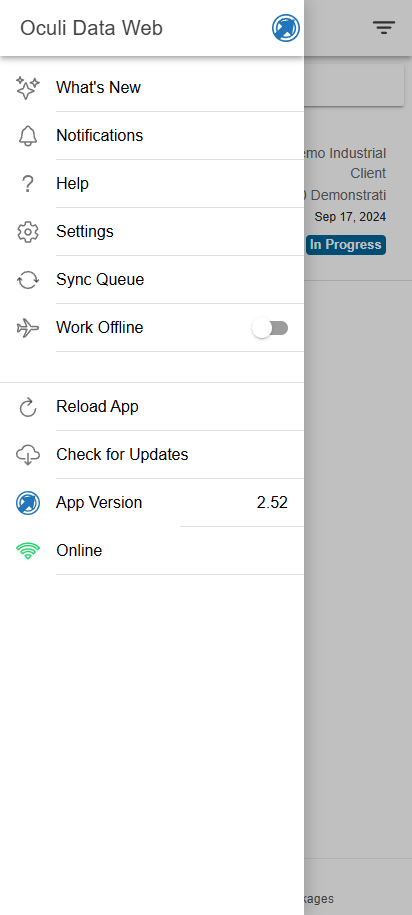
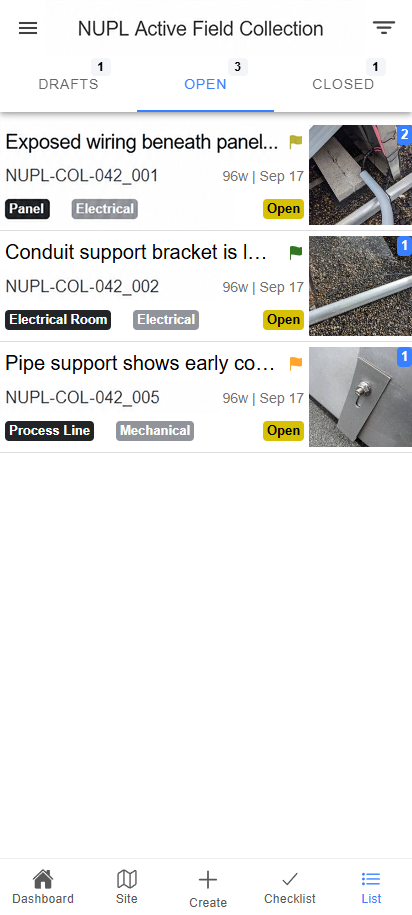
Field users can see and control the current offline mode instead of guessing what the app is doing.
The Sync Queue shows queued photo work so crews can see what still needs to synchronize.
Open items stay listed with their status and photos, so unfinished work is easy to find.
Choose one recurring service visit and the client report it produces. Map the required capture, review, evidence, and follow-up before expanding to a broader program.
The result came from structuring capture and reporting around Zon's maintenance workflow. It is a customer-reported outcome, not a general performance guarantee.
These answers explain what Oculi changes between the service visit and the client report, and how a focused rollout begins.
Field-service client reporting software turns a completed service visit into the report, closeout package, or update a client receives. Oculi keeps the assigned work, photos, notes, equipment details, statuses, sign-offs, and open items in one record, so crews capture the visit once and office teams review and report from that same record instead of rebuilding it from camera rolls, messages, spreadsheets, and PDFs.
A form captures answers. Oculi connects the whole reporting job: a work package defines the visit, mobile capture keeps each photo attached to the item and location it proves, the office reviews missing details and open work before delivery, and unresolved items stay visible as follow-up after the report is sent.
Oculi fits field-service, maintenance, inspection, and closeout providers whose recurring site work ends in a client report. It also fits asset owners and program operators that need each reported item tied to its evidence, location, status, and follow-up.
Yes. Oculi can be configured around your existing reporting process, including the fields, photos, notes, statuses, and deliverables your team or clients already expect. A rollout starts with one real report or closeout package.
Oculi supports cached work, local item progress, queued photos, and sync recovery, so crews can keep working and complete synchronization when the connection is stable.
Oculi pricing is quote-based and aligned to work packages, inspections, service visits, closeout packages, recurring reports, and program scale, rather than making every login the main pricing driver.
Bring one anonymized report you build today and the field form behind it. Operandi maps the capture, review, reporting, and follow-up steps, then configures Oculi around that workflow before expanding to other sites or service types.
Show us the report, field form, and handoffs behind one recurring service visit. We will map where capture, review, reporting, and follow-up can stay connected.