
Collect
Capture structured field records
Crews record site visits, inspection items, photos, locations, notes, checklist details, and status updates while the work is happening.
Oculi keeps photos, notes, deficiencies, equipment details, statuses, and sign-offs attached to the work they document, so crews capture once and office teams review and report from the same record.
The item a crew opens on site is the item the office reviews, complete with its photos, location, status, and follow-up.
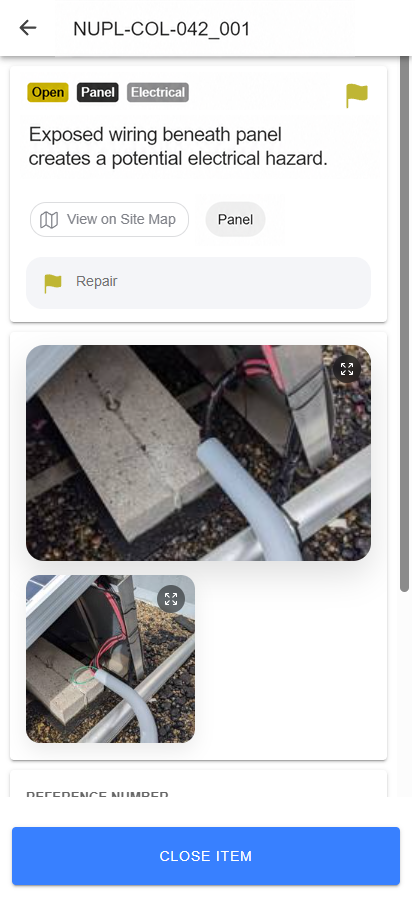
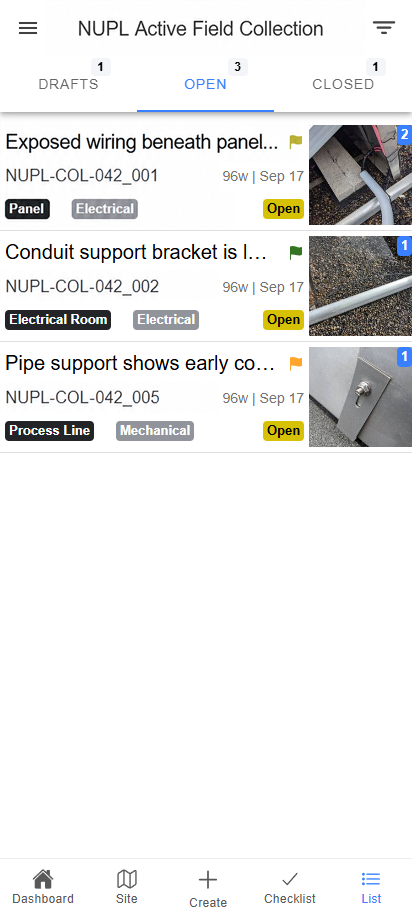
The item number, status, description, and field evidence remain connected instead of being rebuilt after the visit.
Service providers move from site visit to client report without rebuilding the visit. Asset and program owners review the evidence, location, status, and follow-up behind reported work.
Photos on phones, notes in messages, and statuses in spreadsheets force the office to reconstruct each visit before a report can go out. Oculi keeps those details attached to the job from the start.
Use the same record to capture the visit, resolve gaps, track open work, and prepare the client deliverable.
Crews capture the site visit, office teams review exceptions and open items, and reports use the same photos, notes, statuses, and sign-offs.
Crews record site visits, inspection items, photos, locations, notes, checklist details, and status updates while the work is happening.
Standardized forms and required fields help teams submit information that will still be usable at review, closeout, and reporting time.
Office teams monitor progress, exceptions, and action items without waiting for manual status chasing.
Prepare client reports, closeout records, and exports from reviewed photos, notes, statuses, and sign-offs.
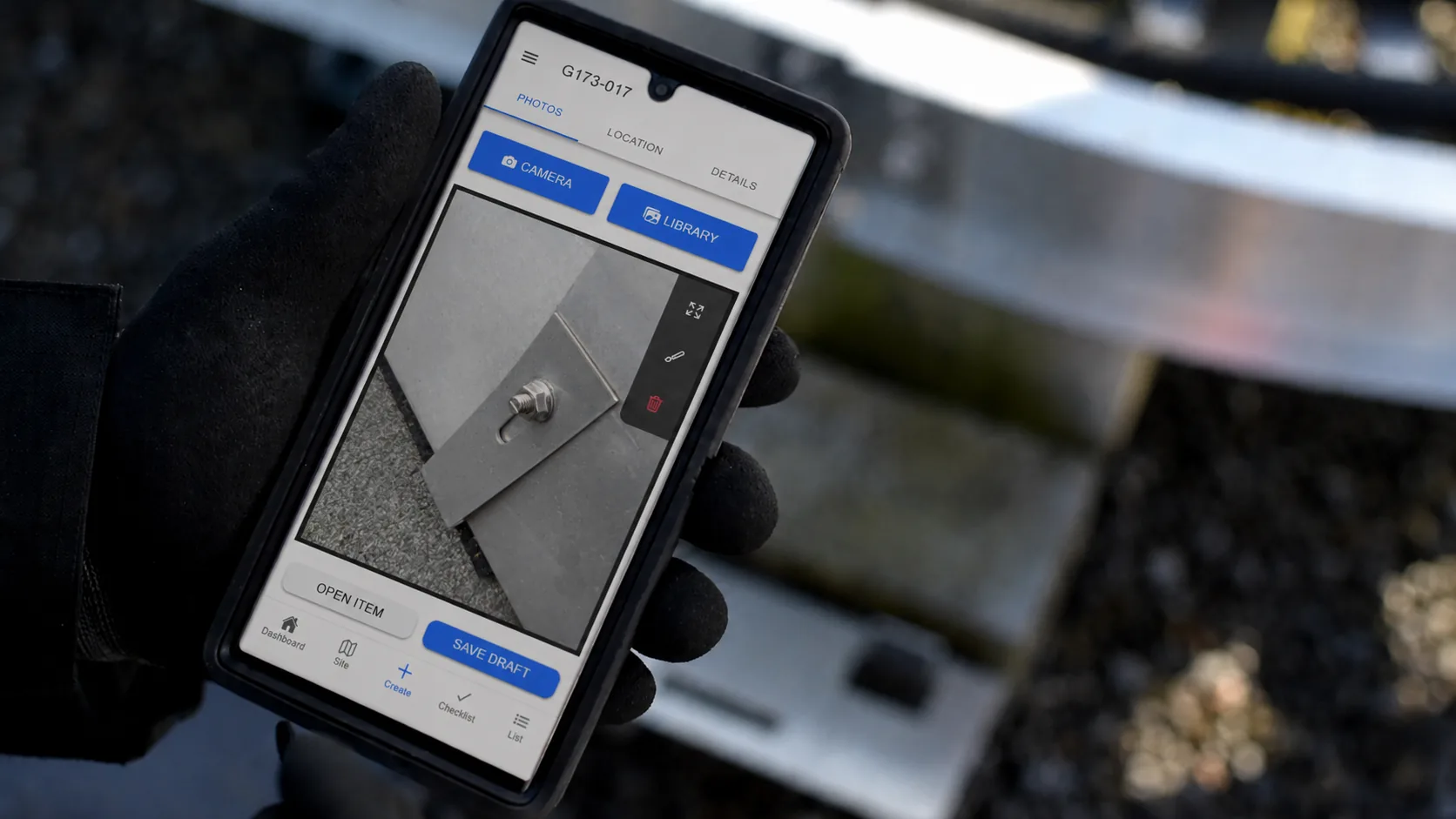
Every item, photo, note, status, location, sign-off, and follow-up stays tied to the work it documents. The office can see what happened, what remains open, and what belongs in the report without reconstructing the visit.
Zon's maintenance teams now capture site photos, visit details, equipment data, and closeout notes in Oculi so office teams can review client reporting without rebuilding each report by hand.
Operandi tailored the Oculi implementation around Zon Generation's existing reporting, so technicians could capture site photos, field notes, equipment details, status, and closeout information once in the field and transition that work directly into office review and client reporting.
"It's saving us close to two hours per job just in being able to quickly report on stuff and be able to capture the information."
Zon Generation, on maintenance reporting improvementsThis is Zon Generation's reported outcome from its maintenance workflow, not a general performance guarantee.
Watch a site visit move from mobile capture to office review and reporting, with photos, notes, statuses, and open work staying attached to the same record.
Oculi keeps site photos, open items, statuses, review, and reports connected in one field-to-office record.
Crews capture site visits, checklists, observations, photos, and status updates while the work is happening.
Cached work, local item progress, queued photos, and sync recovery help crews continue when connectivity is unreliable.
Track open items, aging work, exceptions, work-package status, and follow-up from the portal.
Build client reports around the fields, photos, statuses, and deliverables each program needs to review.
Keep site records connected to the photos, issues, equipment notes, statuses, and closeout history your team needs later.
Review the reports, exports, and system handoffs your program needs, then plan the right delivery path for each approved record.
Oculi is configured around a field workflow your team already runs, including operations and maintenance (O&M), inspections, closeout, and client reporting.
Keep site photos, equipment details, preventive maintenance records, closeout notes, and open work connected from each visit through the client report.
Explore solar maintenance reportingFind missing evidence, unresolved deficiencies, and incomplete sign-offs before the package goes out.
Explore inspection and closeout reportingGive crews a structured capture flow and office teams a reviewable record for every service visit.
Request a field-service workflow reviewKeep each reported item tied to the evidence, location, status, and follow-up behind it.
Talk through your program reportingOculi pricing is aligned to the field work your team delivers: work packages, inspections, service visits, closeout packages, or recurring reports. Your team can collaborate without every login becoming the pricing driver.
Oculi does not make every login the main pricing driver. Pricing is aligned to completed work so field crews, coordinators, reviewers, and managers can stay connected without managing seat math. Read the pricing guide.
Best for teams starting with one inspection, maintenance, closeout, service order, or reporting process where value is measured by completed work.
For teams expanding Oculi across recurring inspections, service orders, maintenance visits, and closeout packages where usage follows the work being completed.
For larger deployments that need custom reporting, integrations, governance, and a commercial model tied to program scale.
We help turn your current forms, reports, sites, assets, and rollout needs into a working Oculi setup.
Start with your current forms, report, and field-to-office handoff. These answers cover fit, connectivity, integration, rollout, users, and pricing before a workflow demo.
Oculi replaces the disconnected handoff between paper forms, spreadsheets, shared folders, photo dumps, manual PDFs, and message threads with one structured record for field capture, office review, reporting, and follow-up.
Yes. Oculi can be configured around your existing reporting process, including the fields, photos, notes, statuses, and deliverables your team or clients already expect.
Oculi supports offline-aware field work with cached site data, local item progress, queued photos, and sync recovery when connectivity is unreliable.
Oculi supports exports, reporting workflows, and integration planning depending on the systems your team uses. In a workflow demo, we review where data needs to go after field capture.
The timeline depends on your forms, reports, sites, and rollout scope, but guided onboarding is built around getting one practical workflow live first instead of trying to rebuild every process at once.
Guided onboarding is part of the product. Operandi helps map your current workflow, configure Oculi around your sites and forms, and support the first rollout.
Field crews capture records in Oculi, while office teams review the data, track open items, and run reports. On smaller teams, field crews may also review or produce reports depending on the company structure.
No. Solar operations and maintenance (O&M) field reporting is one focused use case. Oculi can also be configured around engineering reviews, equipment installations, EV charging, battery storage, inspections, commissioning, preventive maintenance, and closeout workflows.
Oculi pricing is aligned to the field work your team delivers: work packages, inspections, service visits, closeout packages, or recurring reports. Your team can collaborate without every login becoming the pricing driver.
Review Oculi's access, field data, offline, reporting, privacy, and support model with the Operandi team before implementation.
Bring an anonymized report or closeout package and the field form behind it. We will map the capture, review, reporting, and follow-up steps and show where Oculi can remove rework.